NuFace
NuFace Mini+ Starter Kit
Smart Petite Microcurrent Facial Toning Kit
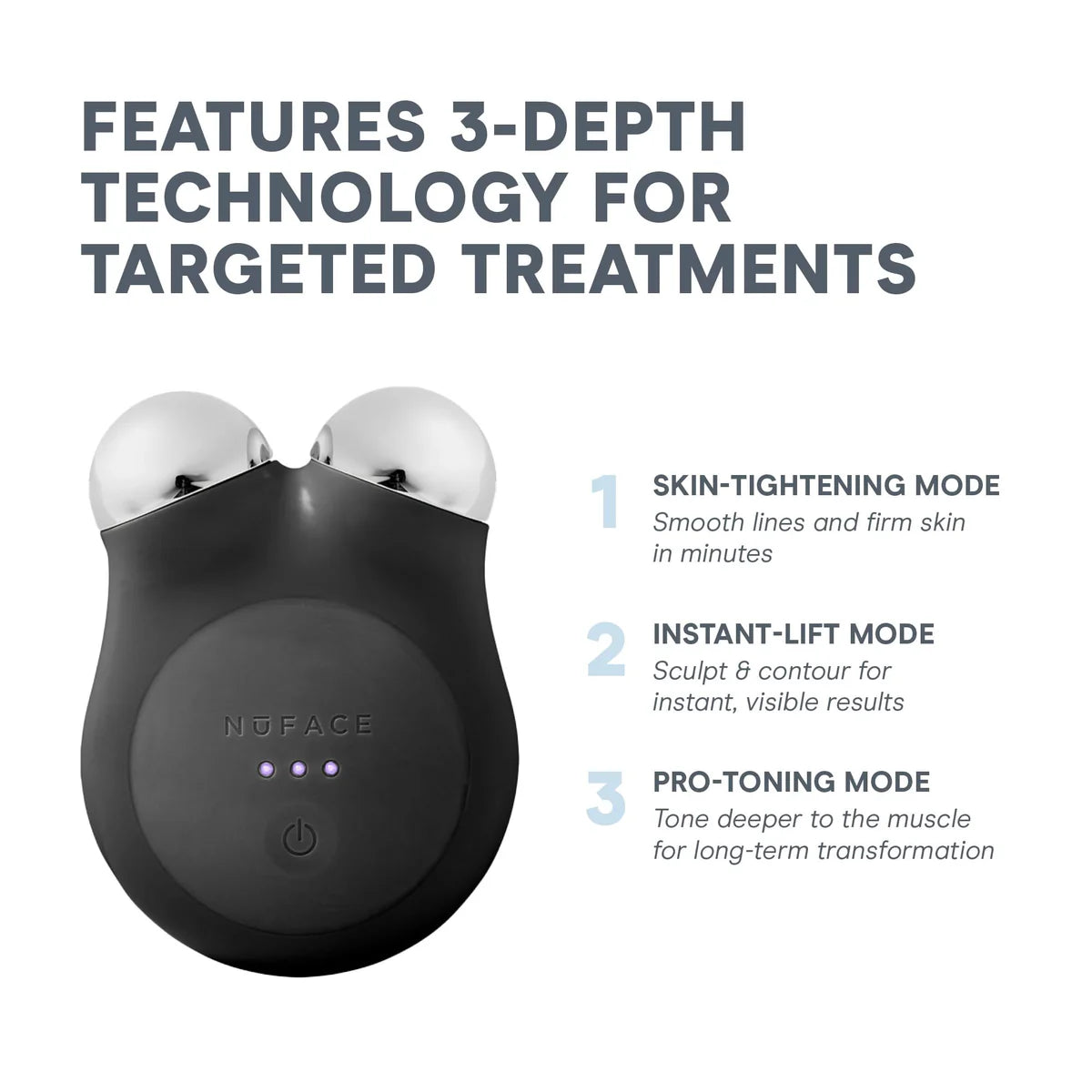
A compact microcurrent facial toning system designed for at-home lifting and contouring. The Starter Kit includes the NuFACE Mini+ device, Hydrating Aqua Gel Activator, Firming + Brightening Silk Crème Activator, and a blending brush to prep skin for optimal results.
Want even more impact? Activate the Boost Button for a 25% increase in microcurrent power to intensify and accelerate your results.
For a truly customized experience, connect your device to the NuFACE Smart App to unlock exclusive treatment routines, follow step-by-step guided tutorials, and track your progress as your skin transforms over time.
Benefits at a glance:
- Tones & Lifts
- Petite Size
- Compact & Connected
Couldn't load pickup availability
Shipping & returns
Shipping & returns
We offer standard shipping on all orders, with delivery estimated between 5–7 business days. You’ll receive a tracking link as soon as your order ships.
We accept returns on unopened items within 14 days of delivery. To initiate a return, please contact our support team with your order details.
Please note: For health and safety reasons, we cannot accept returns on opened or used products.

Key Ingredients
-
NuFACE® TRINITY+ Smart Advanced Facial Toning Device
Aqua Gel Activator 1.69 Oz
Charging Cradle & Power Adapter -
-
-
View All Ingredients
How To Use
Morning + Evening
HOW OFTEN:
Daily
APPLICATION:
Start with clean, dry skin. Apply a mask-like layer of Microcurrent Activator to your treatment area. Power on TRINITY+ and perform glides and holds across the cheeks, jawline, and forehead to lift and tone facial muscles and smooth skin.
Want to find out more information about NuFace Mini+ Starter Kit?
Frequently Asked Questions
How often should you use the NuFACE MINI+ for the best results?
To adjust the microcurrent intensity on your NuFACE device, press the power button quickly after the device is turned on. Each press cycles through the intensity levels. The LED indicator lights will show the selected level:
- Low Intensity: One LED light illuminated
- Medium Intensity: Two LED lights illuminated
- High Intensity: Three LED lights illuminated
You can choose the intensity level that feels most comfortable while performing your microcurrent facial treatment.
How do you change the microcurrent intensity level on the NuFACE device?
To adjust the microcurrent intensity on your NuFACE device, press the power button quickly after the device is turned on. Each press cycles through the intensity levels. The LED indicator lights will show the selected level:
- Low Intensity: One LED light illuminated
- Medium Intensity: Two LED lights illuminated
- High Intensity: Three LED lights illuminated
You can choose the intensity level that feels most comfortable while performing your microcurrent facial treatment.
How do I connect my NuFACE device to the NuFACE Smart App?
To connect your NuFACE device to the NuFACE Smart App, follow these simple steps:
1. Download the NuFACE Smart App from the App Store or Google Play on your smartphone.
2. Open the app and follow the setup prompts to pair and add your device.
3. Choose your preferred treatment or guided routine within the app.
4. Begin your treatment and follow along with the guided lifting techniques.
Connecting your device to the NuFACE Smart App allows you to access step-by-step tutorials, personalized treatments, and helpful reminders to stay consistent with your microcurrent skincare routine.
What are the benefits of using the NuFACE MINI+ microcurrent device?
The NuFACE MINI+ uses microcurrent technology to help tone facial muscles, improve facial contour, and reduce the appearance of fine lines and wrinkles. With consistent use, it can help lift and firm the skin for a more sculpted, youthful-looking complexion.
How long does a NuFACE MINI+ treatment take?
A typical NuFACE MINI+ treatment takes about 5 minutes per session. This quick treatment targets key areas of the face to help lift, tone, and improve overall skin appearance, making it easy to incorporate into your daily skincare routine.
Do I need to use a microcurrent activator with the NuFACE MINI+?
Yes. A microcurrent activator is required when using the NuFACE MINI+ to properly conduct the microcurrent and allow the device to glide smoothly across the skin. Using an activator also helps ensure optimal performance and comfortable treatments.